Login/Register
Solutions
1. RFID Collection / Printing
2. Electronic Shelf Label
3. Mobile POS System
4. Barcode Data Collection
5. Barcode Label / Ticket Printing
6. ID Card Printing
7. Smart Asset Management
8. Library System
9. Dynamic POS System
10. ID Card Preprint
11. UHF RFID in Retail POS
Products
1. Color ESL
2. eScale
3. Android Kiosk
4. Desktop Computer
5. Mobile Computer
6. Barcode Scanner / Verifier
7. Label Printer
8. RFID Product
9. RFID Printer
10. ID Card & Card Printer
11. Label / Ticket & Ribbon
12. RFID Label / Ticket & Ribbon
13. Entry Access / Time Record / Patrol
14. POS Touch Monitor
15. Receipt Printer / Receipt Paper
16. Cash Drawer
17. POS Monitor / Display
18. Repair Service
Brands
Maintenance
1. Repair Services Order
2. Annual Services
3. Terms
Contact Us
Application Story
Business Partner
Payment Method
Enquiry
About Us
Home
6. Barcode Scanner / Verifier
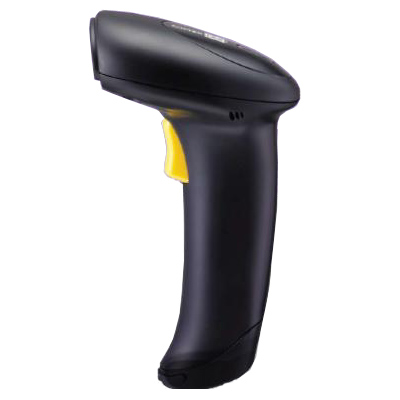
1D/2D Wireless Mobile Scanner
BC-SC1564AUH
CipherLab 1564A iOS,Android,Windows,1D/2D Bluetooth,90m, 4MB Memory,Bluetooth Cradle can be connected up to 7 scanners
BC-SC1564AUH
Phase out
Overview
Technical
Your browser does not support iframes.
Follow Step
Connect to Android Device HID Setting Guide
How to change the scanner line always on? (1500 / 1502 / 1562 Only)
How to connect iPhone, iPad, iPod Touch?
How to disable power save mode?
How to enable GS1-128 (EAN128) setting?
How to restore USB HID default setting?
How to set the scanner to memory mode?
How to set the scanner to USB Virual COM setting?
How to setup the Tab key after reading barcode?
How to Show or Hide Softkey - iPhone, iPad, iPod Touch?
Cable connection
Bluetooth connection [Video Guide]
Set the scanner to Memory Mode [Video Guide]
Drivers & Utilities
Scan Master V1.97
USB Virtual COM Driver v5.4.024 - For Windows XP / Vista
USB Virtual COM Driver v6.4 - For Windows 7 32/64bits
USB Virtual COM Driver v6.6.1 - For Windows XP / Vista / 7 / 8 /10
Manual
Scan Master User Guide
User's Manual v1.02