Login/Register
>
Solutions
1. RFID Collection / Printing
2. Electronic Shelf Label
3. Mobile POS System
4. Barcode Data Collection
5. Barcode Label / Ticket Printing
6. ID Card Printing
7. Smart Asset Management
8. Library System
9. Dynamic POS System
10. ID Card Preprint
11. UHF RFID in Retail POS
12. Electronic Shelf Label
Products
1. Color ESL
2. eScale
3. Android Kiosk
4. Desktop Computer
5. Mobile Computer
6. Barcode Scanner / Verifier
7. Label Printer
8. RFID Product
9. RFID Printer
10. ID Card & Card Printer
11. Label / Ticket & Ribbon
12. RFID Label / Ticket & Ribbon
13. Entry Access / Time Record / Patrol
14. POS Touch Monitor
15. Receipt Printer / Receipt Paper
16. Cash Drawer
17. POS Monitor / Display
18. Repair Service
Brands
Maintenance
1. Repair Services Order
2. Annual Services
3. Terms
Contact Us
Application Story
Business Partner
Payment Method
Enquiry
About Us
Home
6. Barcode Scanner / Verifier
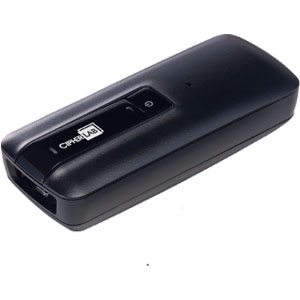
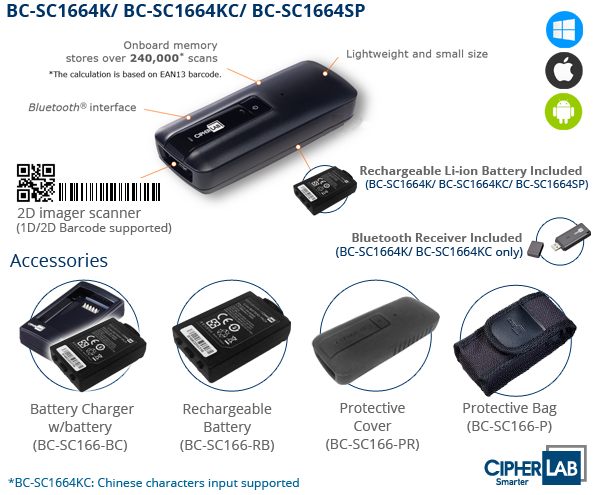
1D/2D Wireless Mobile Scanner
BC-SC1664K
CipherLab 1664 iOS/ Android 1D/2D Wireless, 20m, 4MB Memory Scanner
BC-SC1664K
Check Price
Overview
Technical
Your browser does not support iframes.
Follow Step
Connect to iPhone, iPad, iPod Touch Setting Guide
How to connect Windows Mobile / Windows Tablet?
How to set the scanner to memory mode?
How to setup the Tab key after reading barcode?
Scan Barcode on Mobile Phone Display Setting Guide (1504 / 1564 / 1664)
Simple Pairing Guide - for Android Ver 4.0x / iOS
Connect to Android Device HID Setting Guide
Connect to Bluetooth Setting [Video Guide]
Drivers & Utilities
Scan Master V1.97
USB Virtual COM Driver v6.4 - For Windows 7 32/64bits
Manual
Quick Start Guide v1.03
Scan Master User Guide
User Guide v2.18